OpenClaw Skills
#ai #openclaw #skill This post contains notes on how to set up and configure skills in OpenClaw.
Workspace Setup
-
Since I already have used OpenClaw and has some configs in
~/.openclaw/workspace, I needed to back that up. I created a private Bitbucket repo for that:cd ~/.openclaw/workspace git remote add origin git@bitbucket.org:ylxiong/openclaw.git git push -u origin main -
Pull that directory to a non-hidden directory, say
~/src/openclaw.cd ~/src git clone git@bitbucket.org:ylxiong/openclaw.git -
Configure OpenClaw to use that new workspace directory:
openclaw config set agents.defaults.workspace /Users/yxiong/src/openclaw openclaw gateway restart -
Verify the settings:
openclaw config get agents
Create a stock-price skill
-
Create a
skills/folder in the workspace like this~/src/openclaw |- skills/ | |- stock-price/ | |- SKILLS.md | |- scripts/ | |- tools.py |- AGENTS.md |- SOUL.md |- ... -
Implement the skill
-
The
SKILLS.mdfile:--- name: stock-price description: "Helper for fetching a live stock price via Yahoo Finance." --- # Stock Price Skill - Install once: `pip install yfinance` - Helper lives at `skills/stock-price/scripts/tools.py` ## Usage ```python from skills.stock_price.scripts.tools import get_stock_price get_stock_price("APPL") # {"price": 260.48, "currency": "USD"} ``` ```bash /usr/bin/python3 skills/stock-price/scripts/tools.py MSFT # {"symbol": MSFT", "price": 370.87, "currency": "USD} ``` -
The
scripts/tools.pyfile:import json, sys, yfinance as yf def get_stock_price(symbol: str) -> dict: last = yf.Ticker(symbol).fast_info.last_price return {"price": round(last, 2), "currency": "USD"} if __name__ == "__main__": symbol = sys.argv[1].upper() print(json.dumps(get_stock_price(symbol)))
-
-
Verify that the skill is included
openclaw skills list -
Use the skill, like “What is the stock price of Google?”
- We can verify that the tool is used from the web portal.
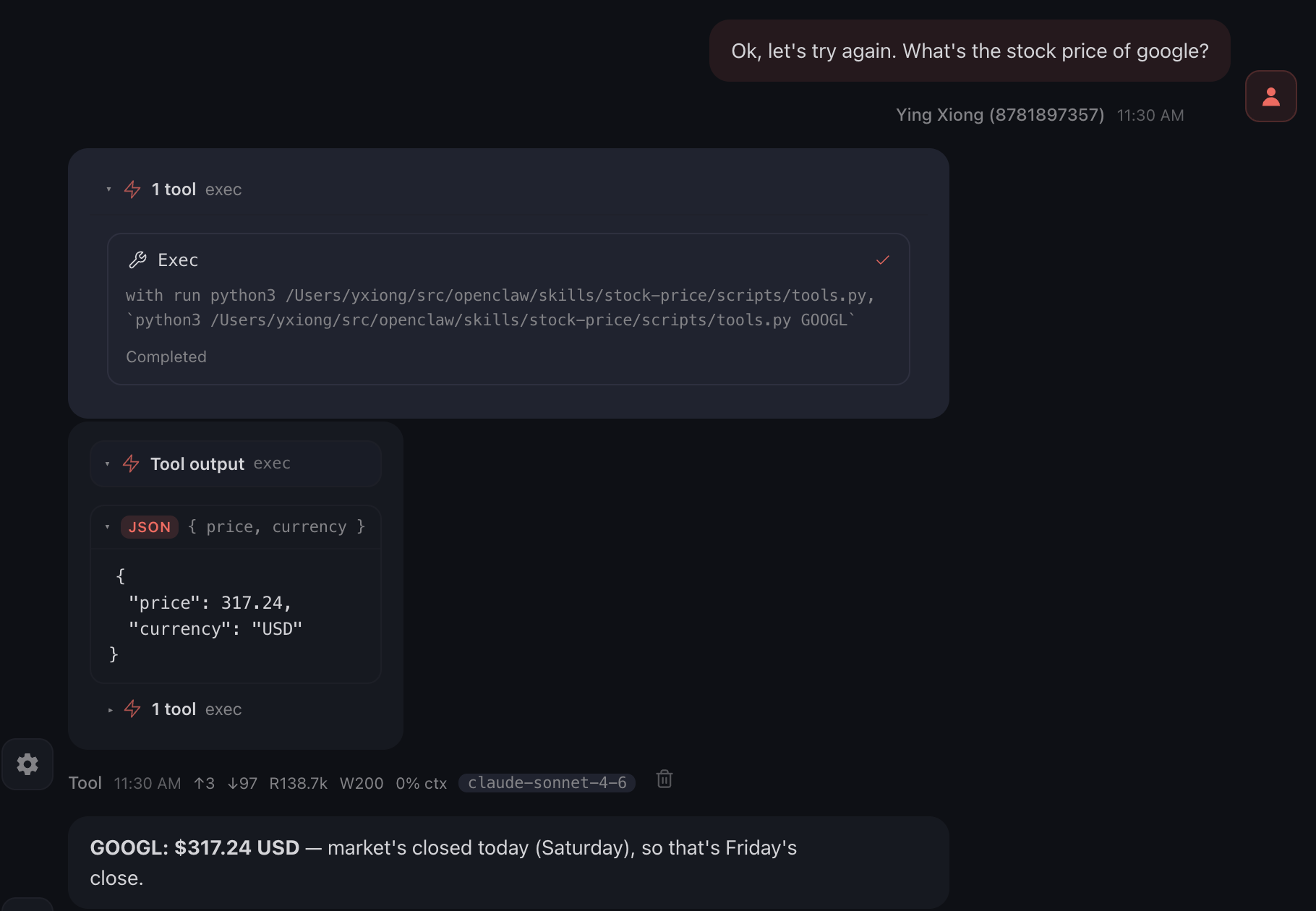 .
. - If the tool is not used, OpenClaw can still get the answer, but it will be using
web_fetchand presumably consuming more tokens.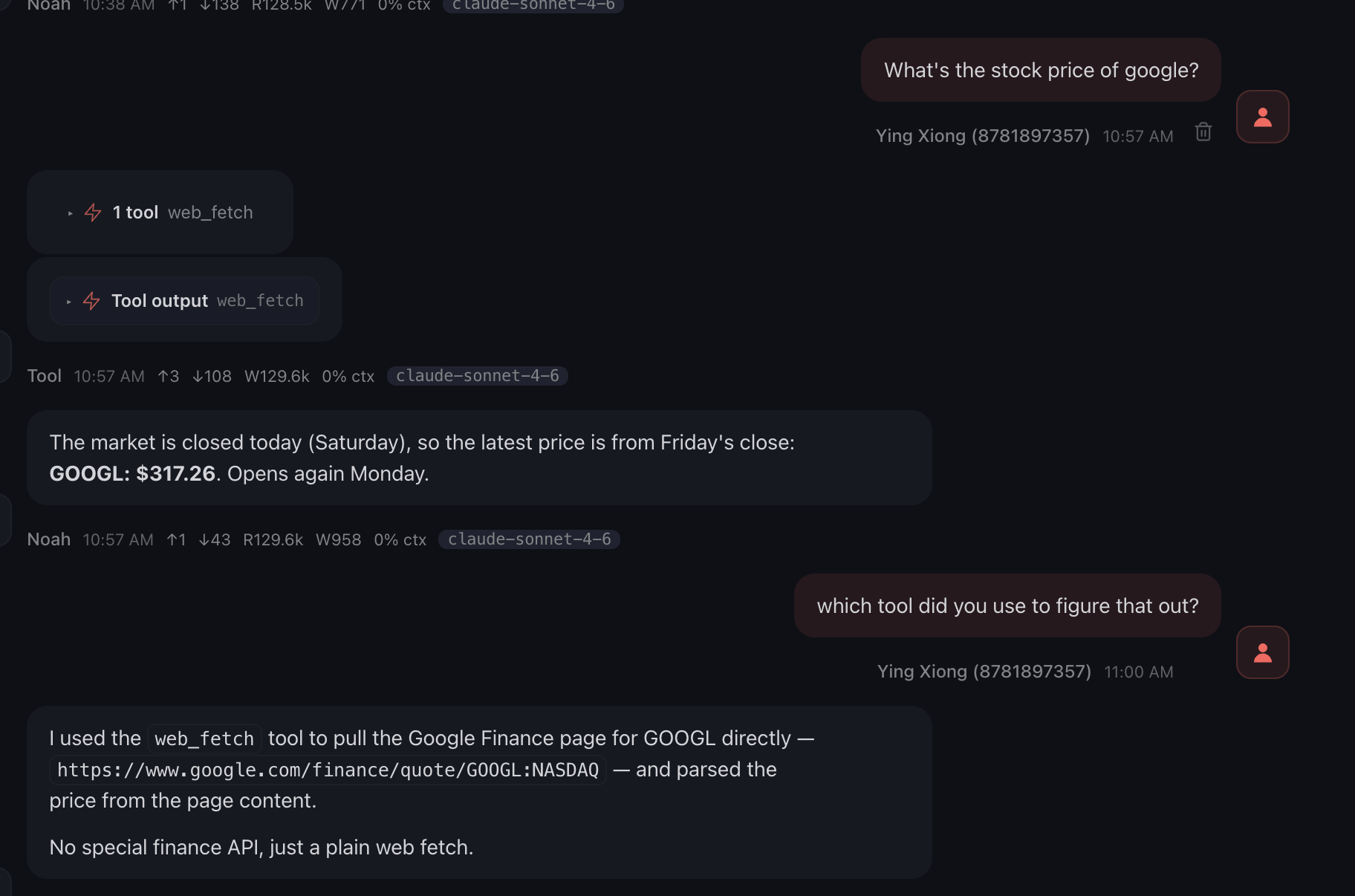 .
.
- We can verify that the tool is used from the web portal.